
North Tyneside and Northumberland - Tournament Information for Teams
Tournament Information Pack
Our Teesside FIRST® LEGO® League Challenge regional tournament is approaching, and we can’t wait! We’re really looking forward to meeting all your fantastic teams, seeing their Innovation Projects, Robots and celebrating their learning over this Unearthed season.
This guide should contain all the important information you need to know ahead of the event so please read it all very carefully.
Page contents
- Our partners
- Starting the season
- Preparing for the event
- The schedule
- Your pit area - Between sessions
- The Event Hub System
- The event - Logistics
- Tournament dates and competing teams
- Tournament location
- Parking and transport
- Health and safety forms
- Staffing and Conduct
- Toilet facilities
- WiFi
- Dress Code
- Food and Drink
- Consent for Photography and Video
- Socials
- Final Reminders
- Things we need from you:
- What to bring on the day
- Beyond the Regional Tournament
- Contact details
Our partners

The Sage Foundation have generously sponsored your teams this season, paying for competition entry fees and Challenge kits. They will also be supporting these events along with other volunteers who are also kindly giving up their time.
We'll also be welcoming volunteers from a range of organisations, including:
- North Tyneside Council
- Northumberland County Council
- Equans
- Amazon Web Services
- Brick This
- The Kids Hub
- BBC
- The IET

Our team at Education North Tyneside are running five FIRST LEGO League Challenge events across the North East this year, with teams from North Tyneside, Northumberland, Newcastle, Gateshead, Teesside and County Durham attending. All together, we’re expecting around 100 teams, 100 volunteers and over 750 students all taking part across five tournaments! We’re proud that this makes us one of the biggest regional delivery partners for FIRST LEGO League Challenge in the UK.

Our North Tyneside and Northumberland events are also run in partnership with the fantastic Northumberland County Council's ICT and eLearning team. They have also offered invaluable support at all our other FIRST LEGO League events this year too.
We could not run these events without our sponsors, supporters and volunteers so a huge thank you to them all!
Starting the season
Following our season launch event in September, you can revisit the training slides from that event.

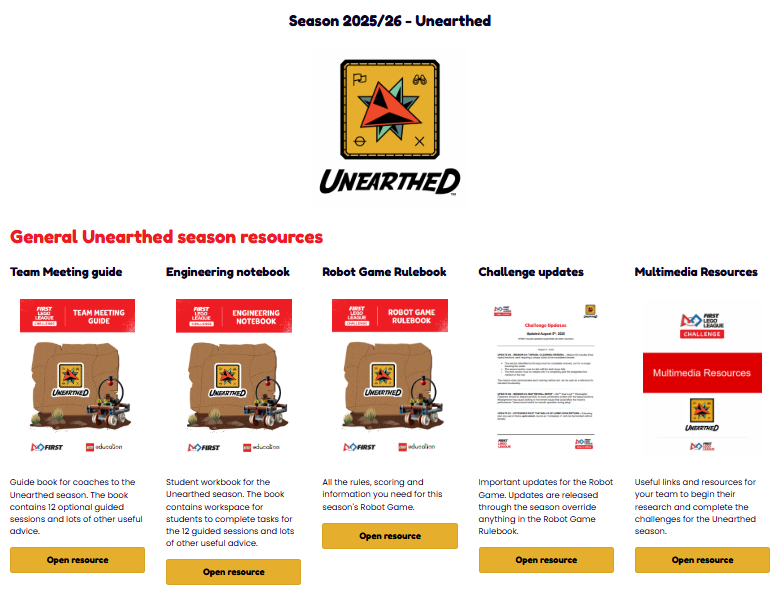
All our other Unearthed season resources can be found HERE.
Team names
If they haven’t already, your team need to give themselves a name. We will use their team name on the tournament schedules, signage and leaderboards. It's something that happens at the national finals and we’ll be doing it at our regional events too. It gives your teams the chance to shape their own team identity, and it adds to the fun.
So ask your team(s) to choose a name and submit it when you complete the Team information and Media permissions form .
Preparing for the event
The tournament days are brilliant fun, but they are busy, with lots to fit in. Please take a good look at the schedules with your team at the start of the day and make sure you know when and where you need to be throughout the day and that you are on time for everything. Detailed schedules for all teams will be available on the day.
To help you prepare, below are some key documents and information to be aware of:
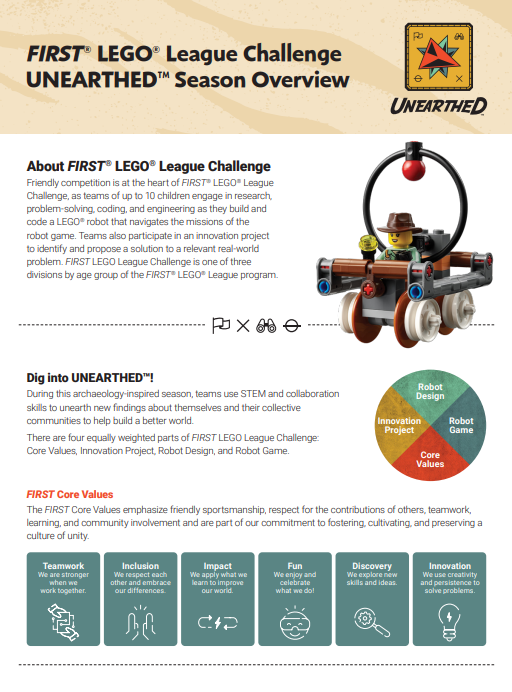
The Challenge Overview Document.
This explains the four categories that make up the FIRST LEGO League Challenge competition. Your team will be scored on all four elements. They are equally weighted so successful teams will need to be strong in all areas.
Your team should prepare for:
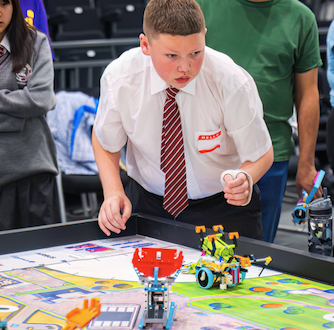
- The Robot Game - Pre-program the robot to complete as many of the 15 missions as they choose to attempt. You will get 3 robot game attempts on the day. Each game lasts 2.5 minutes. Only your best score from the three rounds counts, unless a tiebreak is required.
- Robot Design - Tell the judges about the design and evolution of their robot. This could include things like:
- why it's designed the way it is,
- attachments they've tried and made (even if they didn't work - why didn't they work?),
- which missions they chose and why (their game strategy),
- an example of code they have written for a mission and what it all means,
- how they have improved their robot over the weeks.
This can be presented in any way you like e.g. slides, scrapbooks, posters, verbally.
- The Innovation Project - a 5-minute (maximum) presentation that explains their Innovation project. This should ideally include:
- the problem they are trying to solve linked to this year’s Unearthed theme,
- how they decided on that problem,
- the research they have done into the problem and existing solutions,
- what their solution is,
- how it solves the problem,
- who they have shared their solution with,
- what feedback they received and how they used it to improve their idea.
- what are the practicalities/problems/costs of implementing the solution in real life?
- how would you navigate those issues?
They might not cover all of the above, but covering that list would likely make a good project presentation. Their Innovation Project can also be presented in any way they like, as long as it's done within 5 minutes, everyone in the team is included in some way and it must be presented live. i.e. they can't just make a video for the whole presentation, press play and stand back.
- Core Values - There is nothing formal to make, prepare or present for this, but your teams should have an awareness of the 6 FLL Core Values and be able to talk about how they have developed those skills/attributes through the season. The judging for Core Values is blended into the Innovation Project and Robot Design judging rubrics this year.
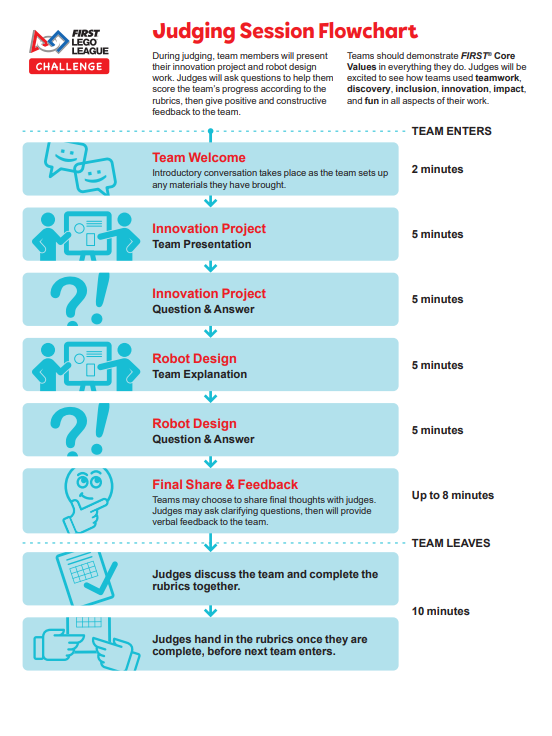
2. The judging session flowchart
This explains how the judging session will be structured and should help your team understand what to expect in the judging room.
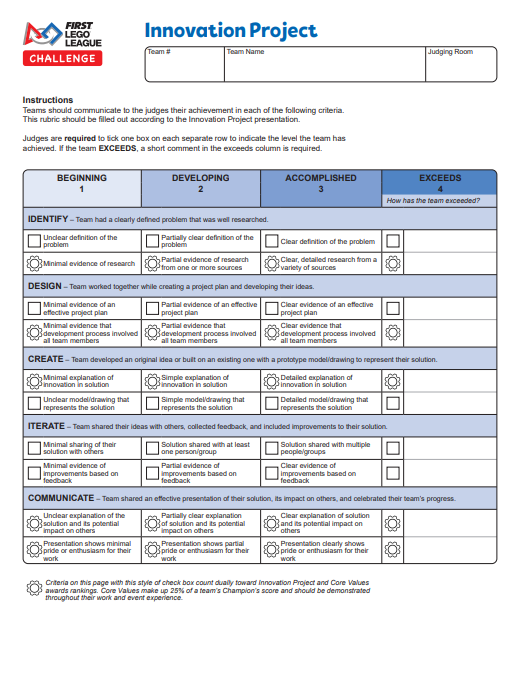
3. The judging rubrics
These are the score sheets that the judges will be using at the competition. We’d strongly recommend that you look at these with your team beforehand so they can see what the judges will be looking for and what they could do to improve their scores. The judges can only award marks if they see or hear clear evidence for each part on the rubrics, so use the rubrics as you plan your presentations and remind your team to leave the judging session having told the judges everything they want to share with them. It's their time to shine, and the judges can only award points for things they see or hear about. Nothing can be left in the judging room for the judges to consider after a team has left.
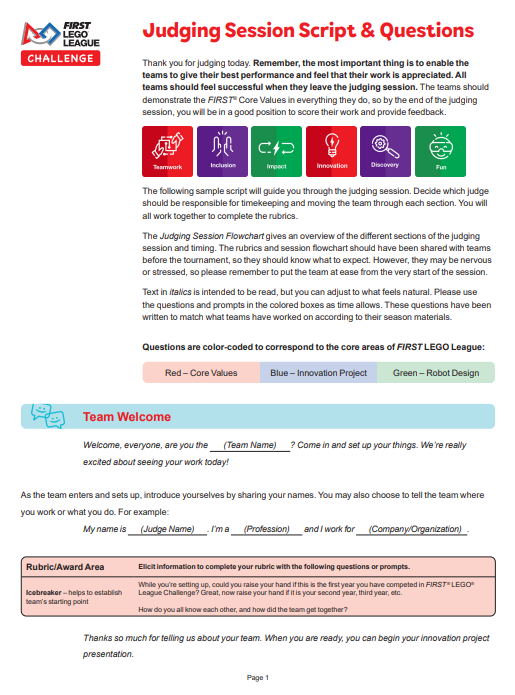
4. Example judges questions
These give you some examples of the types of questions the judges might ask your team in each of the judging categories. They do not have to stick to only these questions, so expect other things too, but it should help your team prepare if they get a feel for the sort of things they might be asked.
5. The Robot Game Rulebook
Make sure you and your team have read the Robot Game Rulebook, and be aware of any published updates, as these overrule anything printed in the Robot Game Rulebook.
Teams should pay particular attention to the rules in the Robot Game Rulebook shown on pages 13 - 18. Referees at the tournaments will be applying the rules as described.

Key Rules
FIRST LEGO League has quite a few rules, which can be a lot to remember if you are taking part for the first time. Most centre around the Robot Game and, as mentioned above, can be found in the Robot Game Rulebook. included in those are the following key rules:
The Robot Game
- Each team gets 3 rounds, 2.5 mins per round. Only your best score counts.
- A maximum of four students are allowed to be at the Robot Game Table (2 at each launch area)
- Robots must start every launch completely in either launch area.
- Robots can return to anywhere in either Home area (which includes the Launch areas).
- Robots can only be handled when completely in Home or the Launch area without losing precision tokens.
- Nothing can be passed by hand between Home and Launch areas.
- Teams must not touch any mission models on the table. This means if they hit, knock or move something with the robot, it stays as it is until the end of the match, unless the robot moves it again.
- All missions are scored at the end of the match (unless stated otherwise in the RGR)
- Your robot must be fully autonomous - no laptops/tablets at the table. This means all code must be downloaded to the robot before the match and started from the robot hub. This video explains how to do that.
- The Core Value of Gracious Professionalism is judged at the table.
The Innovation Project and Robot Design
The only important rules for the Innovation Project and Robot Design are that your team only has 5 minutes to deliver each presentation. This is designed to make them be clear and succinct in what they want to say. The judges will be timing the presentations and will stop them if they go over this time (a few seconds grace is usually allowed). So make sure they practise before hand, with a timer going to make sure they can deliver the presentation within the time limit.
All students are also expected to take some part in the presentations. Please refer the judging session flowchart for more detail on the timings and structure of the judging session.
If you need any help and support with preparing your teams for the tournaments, please get in touch as soon as possible.
Scores and comments from all judges in all categories will contribute to the awards given out at the end of the tournament day.
Awards
There will be awards for the following categories:
- The Innovation Project
- Core Values
- Robot Design
- Robot Performance
- Judges Award
- Outstanding coach award
- Champions Award
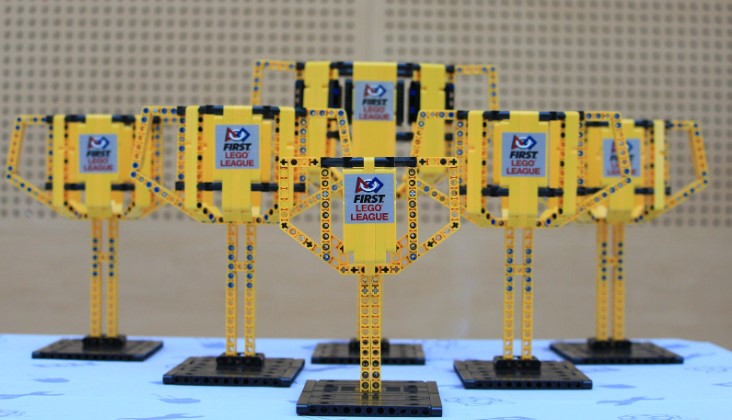
All students will also receive certificates and medals.
The schedule
09:15 - Arrival and team registration opens
Registration opens at 9:15 and teams must arrive, at the latest, by 09:35 for the opening ceremony and safety briefing. Please do not arrive before 09:15.
As you arrive you will be directed to your pit area where you can drop off your equipment, coats and bags and set up your Robot Game mat.
Use this time to check the schedules to know when your team is scheduled for each Robot Game round and judging session.
09:45 - Opening ceremony and safety briefing
This will be held in the main hall where the pit areas are situated. Attendance is mandatory for everyone at the event.
10:10 - Robot Game and judging elements begin
11:45 - Lunch
12:30 - Robot Game and other judging elements continue
14:00 - Robot Game Friendly Final
A final between the two highest scoring teams in the Robot Game (just for fun). It will not determine the winners of the robot performance award.
14:30 - Awards ceremony
15:00 - Close of day
Your pit area - Between sessions
Each team will have their own pit area to use as their base for the day. You can leave your belongings in this space and there will be room for you to bring and set up your own Robot Game mat and mission models on the floor.
Your team can use any free time between Robot Games and the judging session to practise on your own Robot Game mat.
You can also make adjustments and repairs to the robot, and rehearse your presentations and other judging elements. You are welcome to bring additional LEGO pieces and other equipment for running repairs. However, please note that space in the pit area is limited. It is advisable to bring a box to hold your robot and all your mission equipment.
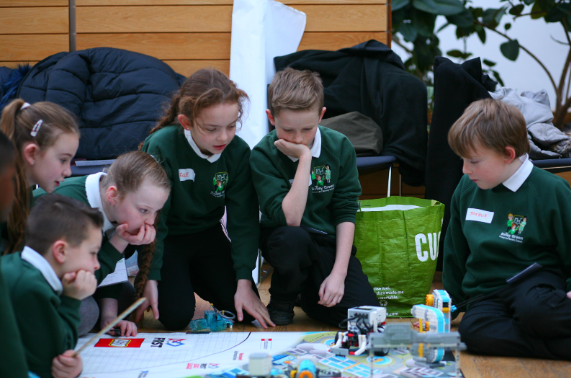
There will also be some fun side activities to help keep your teams busy when they have completed their challenges for the day.
The Event Hub System
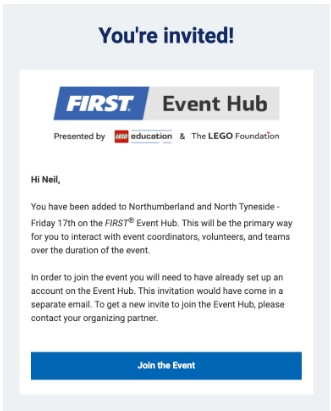
All the scoring at the tournament is done via an online system called the FIRST Event Hub. Team coaches will receive an email invite to register on the system before the event. Please accept your invite and ‘join the event’ straight away as they time out after a number of days, which will require us to resend them.
Set up an account and make sure you take note of your login details. After the event, feedback and the scoring sheets from our judges will be published on the Event Hub. Logging in is the only way you will be able to view this information. Coaches can only see their own teams' feedback and scores, apart from the Robot Game scores, as this information is publically shared at the tournament.
Look out for the email that will look a bit like this:
The event - Logistics
Tournament dates & Competing teams
Tuesday 10th March
- Ahtoo Montessori School 1, Ghana
- Ahtoo Montessori School 2, Ghana
- Backworth Park Primary
- Cullercoats Primary School
- Darras Hall Primary School
- George Stephenson High School
- Hareside Primary School
- Hexham Priory School
- Hipsburn Primary School
- Meadowdale Academy
- Newcastle High School for Girls
- Newminster Middle School
- Richardson Dees Primary School
- St Cuthbert's Catholic Primary School
- St Mary's Catholic Primary School
- St Stephen's Catholic Primary 1
- St Stephen's Catholic Primary 2
- Welbeck Academy
- Whitehouse Primary School
- Wingrove Primary School
Wednesday 11th March
- Battle Hill Primary School 1
- Battle Hill Primary School 2
- Carville Primary School
- Fordley Primary School
- Forest Hall Primary School
- Hexham Middle School 1
- Hexham Middle School 2
- King Edwin Primary School
- New York Primary School 1
- New York Primary School 2
- St Aidan's Catholic Primary School
- Stakeford Primary School
- Star of the Sea Primary School
- Waterville Primary School
- Westmoor Primary School
- Whitley Bay High School
- The Brick Bandits (Independent team)
- Cheviot Primary School
Thursday 12th March
- Benton Dene Primary School
- Carmel College
- Kings Priory School 1
- Kings Priory School 2
- Longbenton High School
- New Delaval Primary School
- Norham High School
- Northburn Primary School 1
- Northburn Primary School 2
- Percy Main Primary School
- Riverside Primary School
- Sedgefield Community College
- Shiremoor Primary School
- St John's Primary School
- St Joseph's Catholic Primary School 1
- St Joseph's Catholic Primary School 2
- St. Columba's Catholic Primary School
- Tweedmouth Community Middle School 1
- Tweedmouth Community Middle School 2
- Walkergate Community School
Tournament location
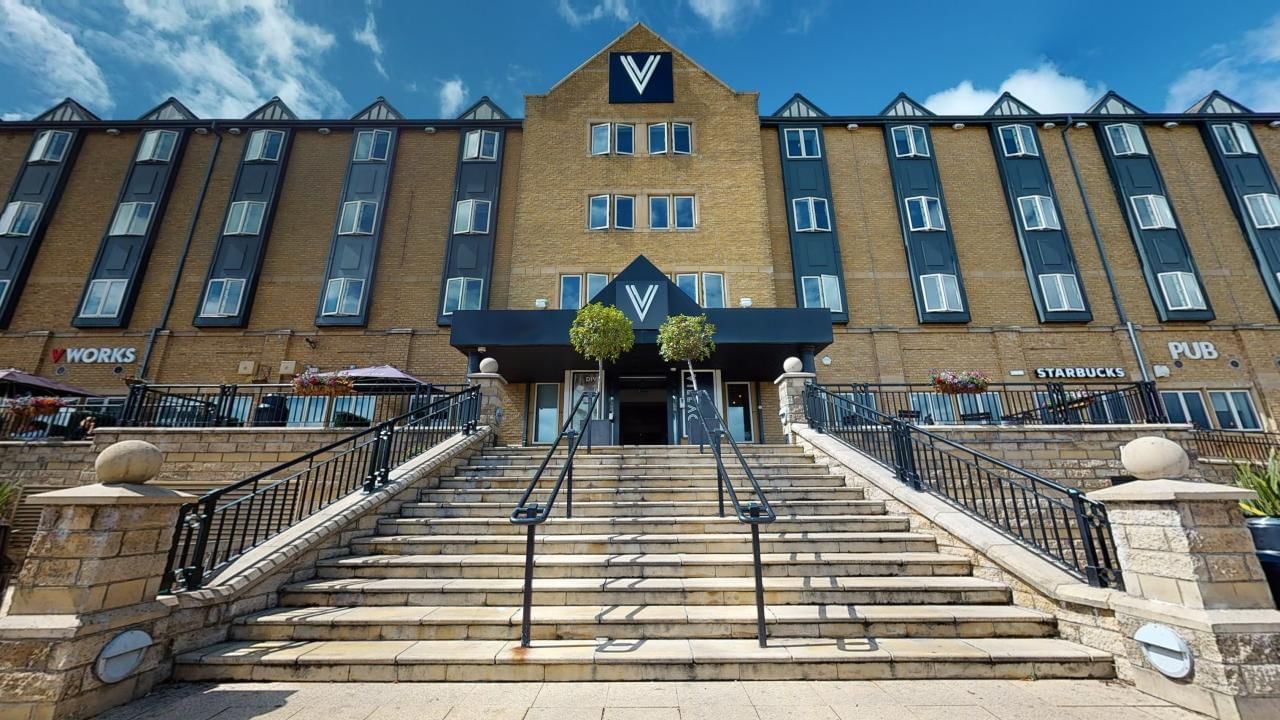
The Village Hotel,
10 The Silverlink North,
West Allotment,
Newcastle upon Tyne,
NE27 0BY
Parking and transport
There is on-site visitor parking at the Hotel. If your school is bringing a vehicle that will stay in the car park please be sure to provide your vehicle registration when you submit your team information so that it can be entered into the hotel parking system. This will prevent you from being charged for parking. You can also submit this on the day with the hotel staff if you are unsure of the vehicle registration at this point, or if it changes after you submit the form.
Health and safety
Please ensure students walk everywhere around the building and that they are always accompanied by an adult. They should not go beyond the areas of the College that are being used for the event and should be aware and respectful of College staff and students at all times. The College has first aid facilities and trained members of staff.
- See the event risk assessment here.
- See the risk assessment for The Village Hotel here.
- See the Village hotel’s public liability insurance certificate here.
- See North Tyneside Council's public liability insurance certificate here.
Staffing and Conduct
We require a minimum of one adult to be responsible for each team. Participants are the responsibility of their coach and adult supervisors at all times. We expect excellent demonstration of the FIRST® LEGO® League Core Values throughout the event and hope we can rely on teams to behave well at all times.
Toilet facilities
Although we have all of the event space in the hotel booked for the day, the building will still be open to members of the public, hotel guests, and members of the hotel gym, which will include the toilets. As a result school staff should escort pupils to and from the toilets.
WiFi
We strongly recommend having a backup of everything you need as, while it’s highly unlikely there will be problems with internet access, it’s never 100% guaranteed. You will be able to get your devices online with the hotel WiFi on the day. Login details will be provided on the day.
Dress Code
Ensure you and your team wear something casual and comfortable, as you will probably be on your feet a lot of the time. We’d recommend layers as lots of people together can make the venue warm.
Some teams take the opportunity to dress up in costumes relating to the theme, but school uniforms or custom team T-shirts are equally fine. Participants should be reminded that there will be photography during the event, so they may not wish to have their names visible on their clothing.
Food and Drink
Students and adults from all school are required to bring a packed lunch which you will be able to eat in your pit area.
Your team may also wish to bring a small morning snack. It’ll be a busy day and they’ll need the energy! Drink refreshments will be provided throughout the day for staff and students.
There will be a designated lunch break from 11:45 am, although your team is welcome to eat and drink whenever it is convenient to you in your pit area. Students must not walk around with food and drink.
Consent for Photography and Video
Event photographers may be taking photographs and videos of the proceedings. These images may be used in providing reports about the event and in publicity material. Coaches must inform parents and guardians that this will be happening and obtain their permission before coming to the tournament. Please start this process now as experience tells us that it can take time to get responses from all families.
The deadline for completing this form is Monday 2nd March 2026
Team information and Media permissions form
Photography and videos by attendees are limited to your own team (following your photo permission guidelines). Please be careful not to have any other students in shots, including in the background.
Those without media permissions will be provided with a lanyard to make them known to everyone, so they can be avoided when taking photos and videos.
Socials
Please be sure to follow your school’s policies for social media use and check all photos and videos carefully before publishing to your school website or social media.
If you are posting about your team before or on the day of the tournament you can tag and connect with us and the IET with the following social media handles and hashtags:
- @Education North Tyneside
- @Northumberland County Council
- @Sage
- @The Sage Foundation
- @Institution of Engineering and Technology (IET)
Threads
Hashtags
- #firstlegoleague
- #Unearthed
- #FLLNT&N
Final reminders
Things we need from you:
- Complete the Team information and Media permissions form by Monday 2nd March 2026
What to bring on the day
- Your team! – A maximum 10 students per team
- Your adult supervisors - Minimum 1 adult per team
- Packed lunches for adults and students
- A morning snack (optional)
- Your robot (fully charged) and any LEGO attachments your team has made for your robot
- Your laptop or tablet (fully charged) for your robot code
- Your UNEARTHED Robot Game mat and mission models (so you can practise in your pit area)
- Any props, materials or costumes needed for your presentations.
- Spare batteries and/or robot/laptop/tablet charger (Important! — a dead battery on the day is no fun!)
Beyond the regional tournament
Our champion teams (one from each tournament day) will be invited to attend the FIRST® LEGO® League Challenge Great Britain final. This event will be taking place at the Harrogate Convention Centre on Saturday 25th April 2026. More information about this will be provided to the winning team after the regional tournaments.
Successful teams at the national finals are invited to attend international FIRST LEGO League events all around the world!
Contact details
If you have any questions or problems, please let us know as soon as you can. We are here to help and want to make sure you and your team have a fantastic FIRST LEGO League experience and most of all a really fun day at the tournaments.
You can reach me at: neil.brown@northtyneside.gov.uk