
The data of The Internet
Inside the internet - Lesson 2
Objectives
- To understand how everything on the internet can be converted into binary data
- To understand how binary data travels around the Internet
Lesson Resources
Lesson 1 - What is a network?
Lesson 2 - The data of The Internet
Lesson 3 - Packets, routing and reliability
Lesson 4 - What is HTML?
Lesson 5 - HTML and CSS
Lesson 6 - More HTML and CSS tinkering
Introduction
Please note - This lesson is unplugged and can be delivered in a regular classroom.
Recap the last lesson where you role played and drew the school network. Ask the class - what is a network? What were some of the key parts of equipment in the networks we drew?
Explain that in this lesson we are going to look at the bigger network that is the Internet and learn how any content can be converted into binary data, so it can travel around the internet.
The Internet and the Web
Ask - What is the difference between the Internet and the world wide web?
A computer network is a group of computers which are connected together to allow communication and shared services between them.
The Internet is a giant international network of computers connected together with copper cables, optical fibres and satellites.
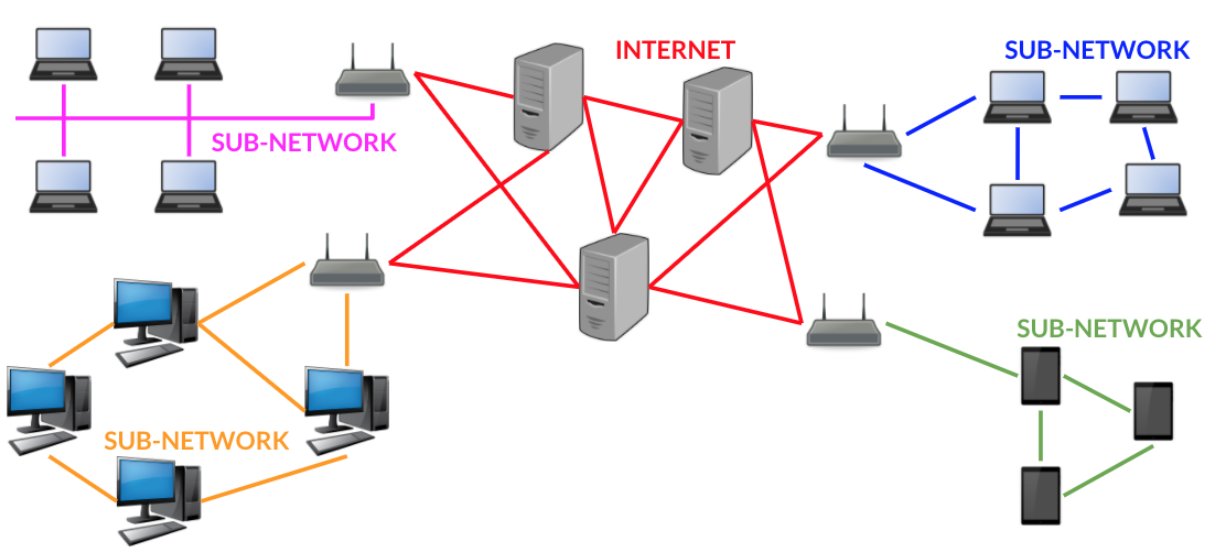
The World Wide Web is more commonly known as the web, it’s just one of the services that use the Internet network. World Wide Web is abbreviated to www when we use a web browser.
The web is made up of documents and media stored on servers all around the world. We view them via a web browser like Chrome, Safari, Edge or Firefox.

Other systems that use the internet are:
- electronic mail and messaging services,
- Streaming multimedia content like video and music,
- Social networking, which can be a combination of both of the above.
Internet Service Providers
An Internet Service Provider (ISP) is a company that lets you connect to the Internet via their system.
They will provide you with a router with modem and they will manage and maintain all the cables and radio towers that are used to carry data on the Internet.
They will also filter illegal content and mange or limit how much data can be sent at once (the bandwidth).
How is data sent over the Internet?
This video from code.org introduces how data travels around the world on the Internet as binary data.
Binary data
The video explains how binary data can be sent as light, electrical signals and radio waves.
It's likely that the children will have come across binary data in computing lessons before. It features in some of our other units -'What is a computer?' and 'Computational thinking - Alien contact'. But lets do a refresher on binary numbers, as understanding this system it the key to understanding how everything on the Internet - text, photos, videos, graphics, sounds - can all be converted into binary data.
The lesson slides illustrate the basics of the binary number system. The key thing is that each column has a value. In the decimal number system each column's value gets ten times bigger (1, 10, 100, 1000 etc). In the binary system, each column's value doubles (1, 2, 4, 8, 16 etc).
The slides illustrate this concept and how 1, 2, 3 and 10 are represented in binary code.
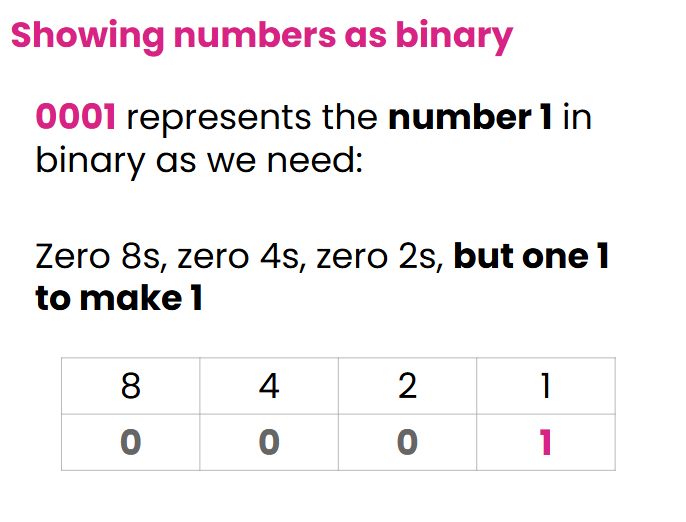
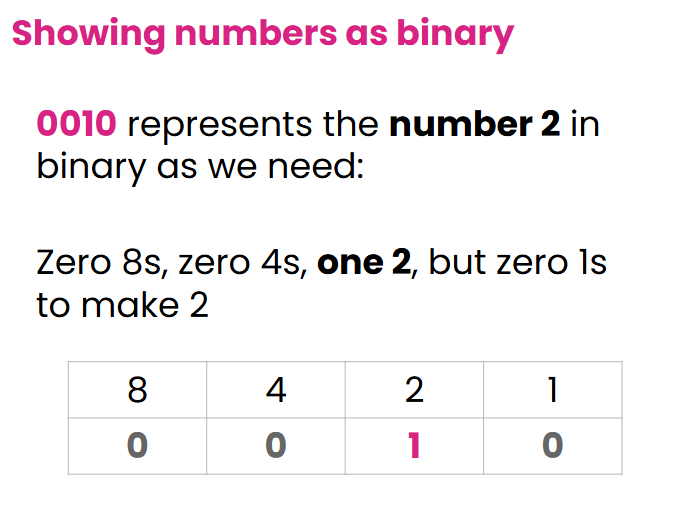
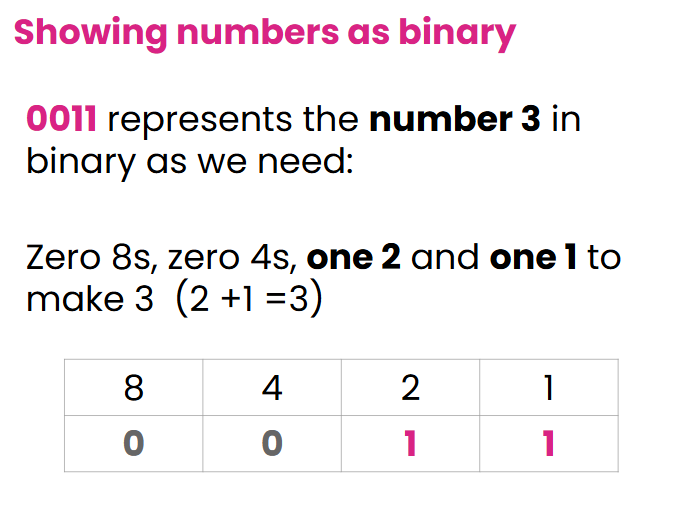
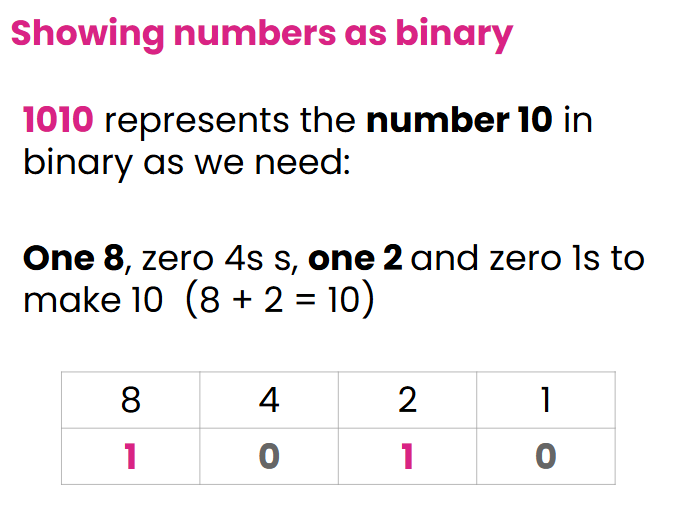
Tables also shows numbers 0 to 15 and how then we can make increasingly larger numbers by adding columns, where the values continue to double.
Converting things into binary
Once you understand that any number can be represented as 1s and 0s, we can start to understand how other things can be converted into binary data too.
Text
Imagine that every letter is assigned a number. That number can be converted into a binary number and then sent as binary data across the internet.
For example;
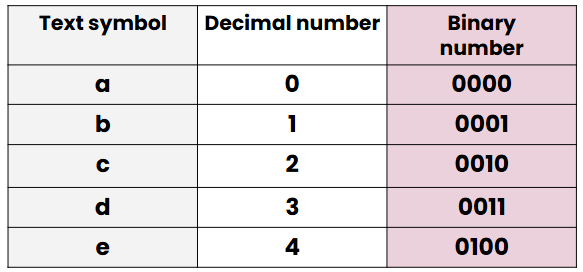
Give each pair of children a copy of the worksheet Text to binary code card.
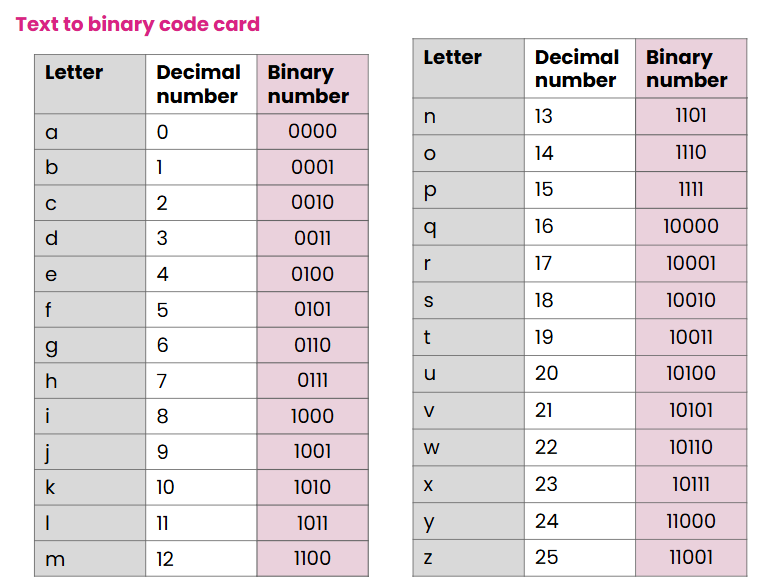
Ask them to think like a computer receiving binary data and decode this number back into text. What word does it say?
10110 1000 0101 1000
It should be read as: one, zero, one, one, zero (pause), one, zero, zero, zero (pause) etc.
Ensure you and the children do NOT apply decimal language to the number, such as reading the second and fourth parts as one thousand, as their value is actually 8!
The word is: wifi
Ask them to try the next one too:
1011 0000 1111 10011 1110 1111
The word is: laptop
Then ask them to try a couple of their own:
- Think of a word
- Write it out as binary code for a friend
- Ask them to decode it.
- Swap over
Our Text to binary code card is a simplistic version of a real system that basically works in the same way. For a regular keyboard, ask the class, what other things would need representing apart from a-z?
Uppercase letters, lowercase letters, numbers, every symbol or function key needs its own code. You can see the decimal and binary codes for each one here. This is called the ASCII (American Standard Code for Information Interchange) and Unicode (specifically UTF-8) to convert every keystroke into binary, allowing the computer to process the text.
Images as binary code
The class may have seen before how images can also be converted into binary code. Every pixel is assigned a number which matches a colour code. e.g.
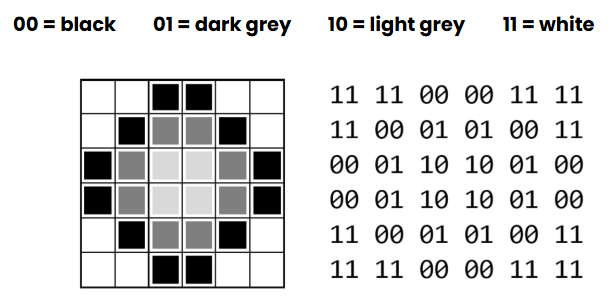
Give each child a copy of the worksheet Creating images with code and follow the instructions:
- Choose 4 colours.
- Assign each colour a binary number
- Create a pattern by adding the binary code to each pixel on your grid.
- Pass it to a friend to decode and colour in.
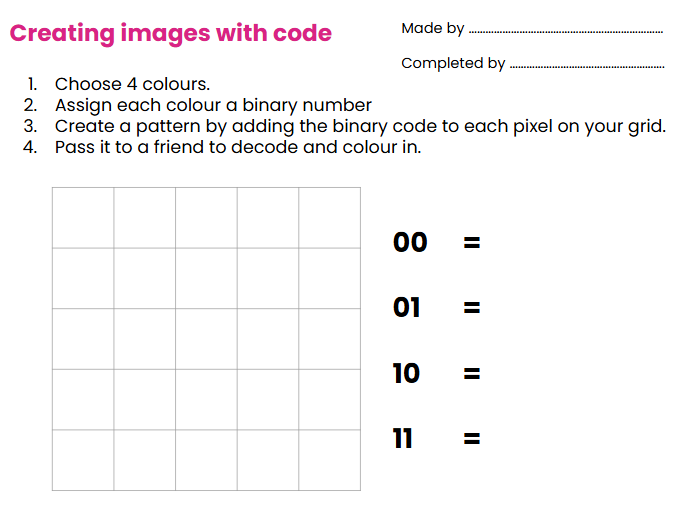
Complete it to this point.
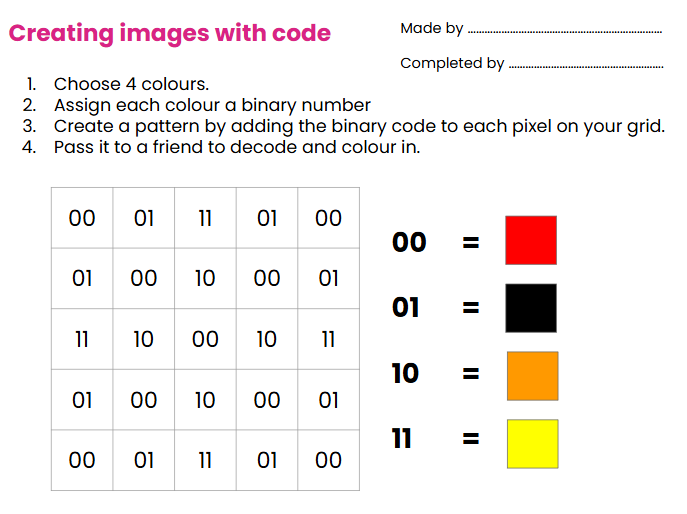
Then pass to a friend to do the job of the computer, decode the binary data and create the image by colouring the appropriate pixels.
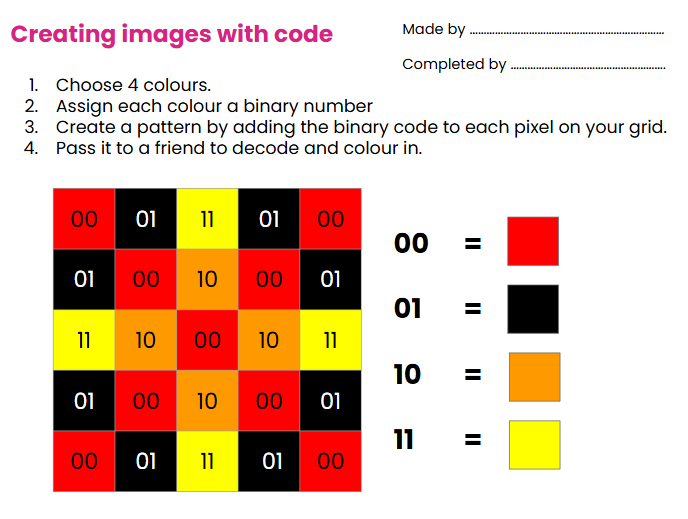
Watch this video from code.org to find out more detail about pixels and how colours and images are created with binary code.
Sound and binary code
Sound is a series of vibrations. These vibrations can be represented digitally as a sound wave.
The sound wave can be shown on a graph and then converted into a series of numbers that show the heights of the wave at any point.
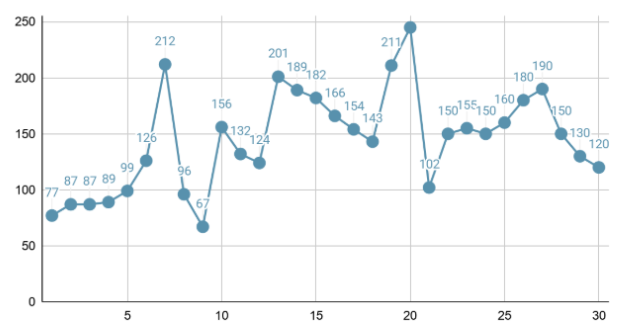
Each number can then be converted into binary and then the sound can be sent as a data file of 1s and 0s.
To finish
Ask the class -
- Give an example of how something on the internet can be converted into binary data.
- How is binary data sent over long distances around the world?